Construction programmes, in the browser

The programme that tells you when it slips.

Plannr is a planning tool for construction teams. A real Gantt with real logic, a critical path it works out for itself, and every baseline kept live against today. Nothing to install. Nothing to email round.

Illustration: a chain of schedule bars joined by a single glowing critical path

What it does

The desktop scheduler you know, without the desktop.

Schedulers already know this grid. That is on purpose. What changes is that everyone on the project opens the same live programme, and it answers the questions a director asks without anyone building a report first.

A Gantt that calculates

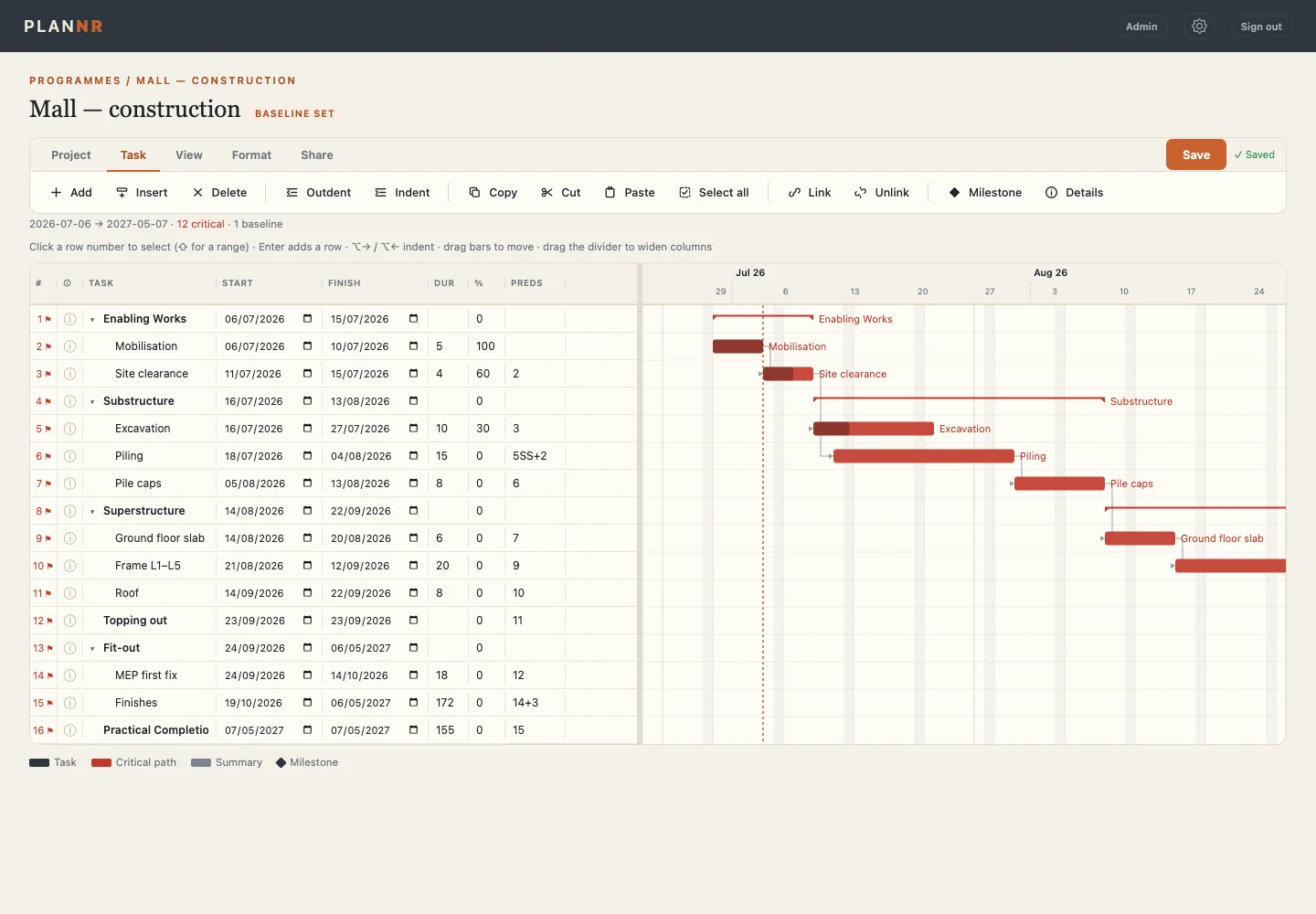
Type a duration and Plannr counts working days on the project's own calendar and hands back the finish. Link tasks finish-to-start, start-to-start, finish-to-finish or start-to-finish, with lag. Change one thing and everything downstream moves.

Plannr Gantt editor showing tasks, dates, durations, predecessors and the critical path in red

One line on where the job stands

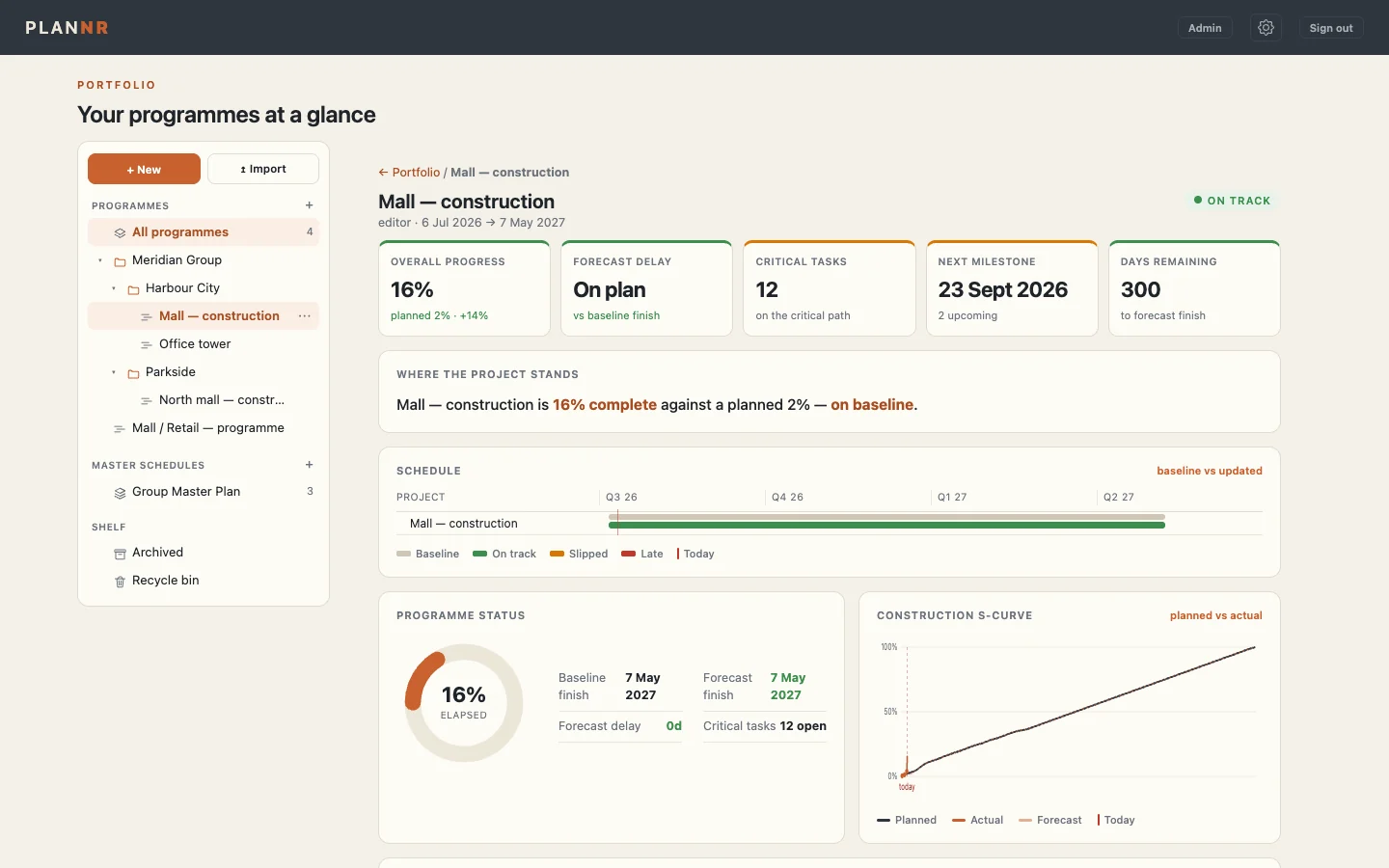
Every programme has a status page read straight off the schedule: progress against plan, forecast finish against baseline, tasks on the critical path, the next milestone, and the planned-versus-actual S-curve.

Plannr programme dashboard with progress, forecast delay, critical tasks, next milestone and an S-curve

The whole portfolio on one page

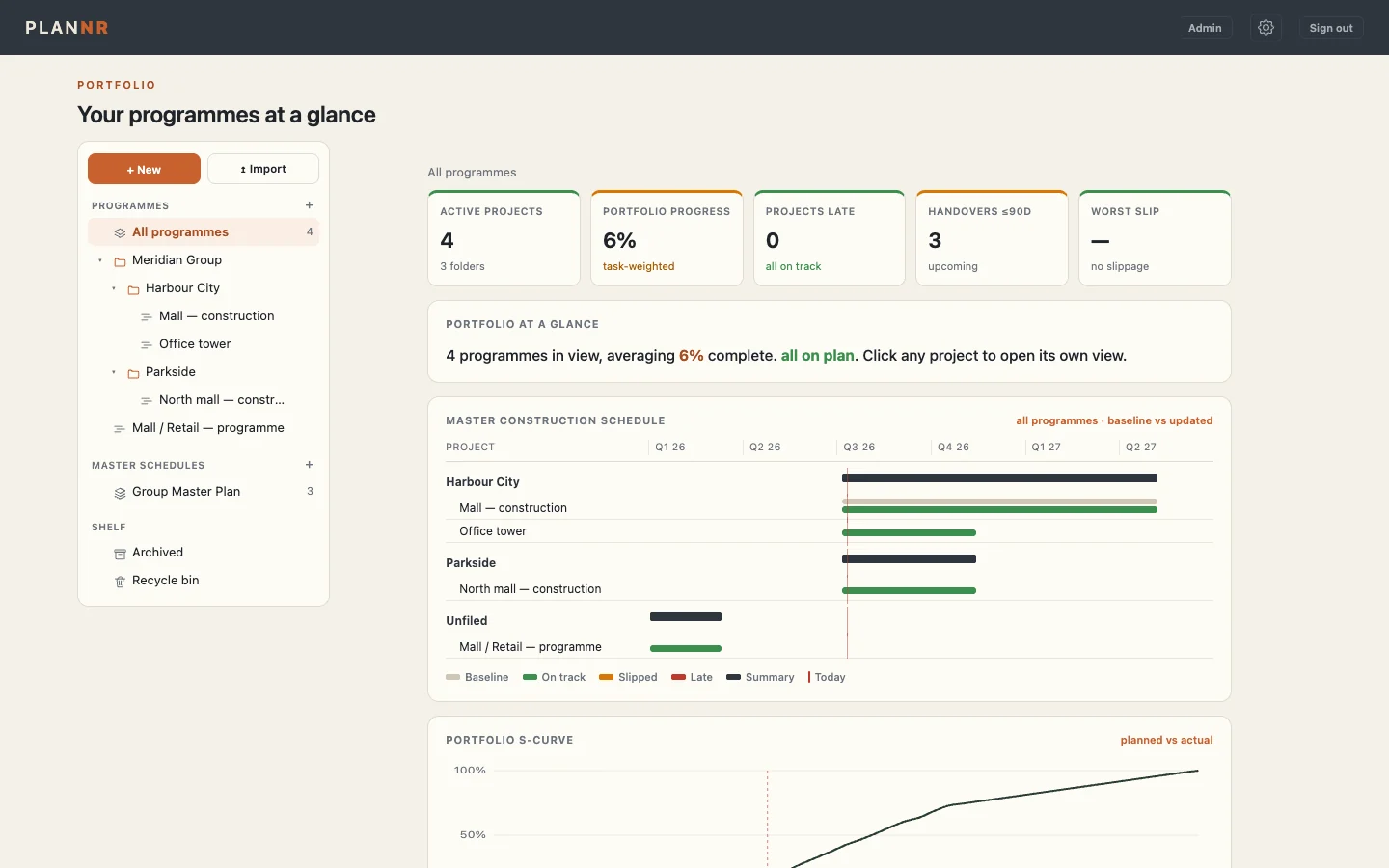
Active programmes, how many are late, which handovers land in the next 90 days and the worst slip on the books. Computed live from every programme underneath, so nobody rebuilds it on a Friday.

Plannr portfolio page listing programmes with progress and slip

Under the bonnet

Built on the rules planners already trust.

Derived critical path

Never painted on. Forward pass, backward pass and total float, recalculated on every edit.

Live baselines

Capture as many named baselines as you need. Ghost bars and slip show the moment you open the programme.

Working calendars

Five-day, six-day, public holidays. Durations are counted on the calendar the job actually runs to.

Bring your file

Import MS Project or P6 XML, or a plain Excel or CSV sheet. Tasks, dates and links come across.

One programme, whole team

Editors and viewers on the same live programme, with read-only access for the people who only need to look.

Out to the meeting

Export to PowerPoint and PDF for the room, or back out to MS Project XML when someone needs the file.

Who it's for

For the people who have to answer for the date.

Construction and project managers

Open the programme and see what slipped, by how much, and what it is now driving. Before the monthly meeting, not during it.

Planners and schedulers

The logic you already work in, with a baseline that stays compared and a path that stays calculated.

Directors and clients

One page across every job. No licence, no install, no waiting for someone to send the latest version.

Plannr is in early access.

It is being built by a construction management director, on live programmes. If you run programmes and want to try it on one of yours, ask for a login.